

Not a bad idea. Maybe someone with a printer can make one and sell it.I actually suggested to Lucid to make a pop in cover
Not a bad idea. Maybe someone with a printer can make one and sell it.I actually suggested to Lucid to make a pop in cover

If anyone has found a brand of polarized sunglasses that lets you see the HUD, please provide the brand and model. Both pairs of polarized lenses I have make the HUD completely invisible. Someone mentioned it has do with the direction of polarization (vertical vs. horizontal).

 www.zeiss.com

 www.randolphusa.com
 www.randolphusa.com

 But more importantly it generally doesn't last that long. My brain is definitely training itself to just ignore the housing frame reflection, which is helping a lot.
I've noticed the blue bubbles are in really specific conditions, unfortunately a moving vehicle is not practical to just like stop and measure the sun and direction

I wish they would add those blind spot indicators to the control panel below. Seems like an easy software upgrade.I have intentionally left the HUD on for awhile to give it a chance and it has grown on me a lot. I did a lot of brightness and vertical position tweaking. These didn't help with the reflections, but did with my usage of the information and in cohesion with the overall driving setup.
I've noticed the blue bubbles are in really specific conditions, unfortunately a moving vehicle is not practical to just like stop and measure the sun and direction
I really like the blindspot indicators on the HUD.
Thanks, this was super helpful.ZEISS Sunlens LightPro Technology | Advanced Polarized Light Management
ZEISS LightPro Technology provides lenses that filter only the right amount of polarized light, reducing annoying glare while preserving a full visual information.
Aviator - Amelia Runway Collection
Inspired by Amelia Earhart, the Randolph Amelia Runway Aviator features a 23k white gold frame, Sunset Rose lenses & luxe extras. Shop these gold frame glasses now!
Randolph x Shelby - Archer - Gunmetal & Le Mans Blue
Gunmetal Archer frames with Le Mans Blue lenses from the Randolph x Shelby collection. Sleek performance eyewear with racing roots.
The Zeiss light pro lens tech is licensed to other vendors too.
Yeah, 100% agree. I don't like the blind spot lights that car companies put on the side view mirrors. I tend to take very rapid glances to the side when I'm looking at the mirrors, as I mostly want to be focused on the road ahead. Since my main attention in that rapid side glance is to look at what's reflected in the mirror, I feel like there's too much possibility to miss that the blind spot indicator is illuminated. Have clear indicators you can see when looking ahead would be much much better. What I'd really like is a Waymo style visualization of what's around me on the dash display somewhere. Having my speed on the HUD and the visualization of my surroundings centered on the display would be a great combo.I wish they would add those blind spot indicators to the control panel below. Seems like an easy software upgrade.
Some other automakers, like Volvo, have much larger, highly visible blind spot warning areas in the side mirrors. IMO Lucid's are undersized....I don't like the blind spot lights that car companies put on the side view mirrors. I tend to take very rapid glances to the side when I'm looking at the mirrors, as I mostly want to be focused on the road ahead...
Yeah, 100% agree. I don't like the blind spot lights that car companies put on the side view mirrors. I tend to take very rapid glances to the side when I'm looking at the mirrors, as I mostly want to be focused on the road ahead. Since my main attention in that rapid side glance is to look at what's reflected in the mirror, I feel like there's too much possibility to miss that the blind spot indicator is illuminated. Have clear indicators you can see when looking ahead would be much much better. What I'd really like is a Waymo style visualization of what's around me on the dash display somewhere. Having my speed on the HUD and the visualization of my surroundings centered on the display would be a great combo.
I'm kind of glad they're smaller as I'm w/ @TahoeMichael in that I rarely really notice them when focusing on what's in the mirror and thus they're lees of a distraction when less large.Some other automakers, like Volvo, have much larger, highly visible blind spot warning areas in the side mirrors. IMO Lucid's are undersized.
I miss the Volvo's easy-to-see blind spot warning lights when I'm driving the Air. But while driving the Volvo, I miss the Air's pop-up side cam views.
You're not wrong. But it's still a design that doesn't really accommodate how humans behave. When driving, people mostly don't flip on the turn signal until they've already decided to change lanes. At the point they're mentally shifted into executing the decision they've already made, and a blind spot warning has to derail what they're planning to do. I regularly see cars start to change lanes and then suddenly jerk back when the driver realizes there's someone in the blind spot. Much better would be to have a constant indication of blind spot presence so they driver is aware as they're deciding to change lanes, rather than after they've decided. My current vehicle continually illuminates the blind spot warning lights, but you have to look over at the side mirrors to see the light, so mostly you don't see them and thus mostly don't maintain situational awareness.I'm kind of glad they're smaller as I'm w/ @TahoeMichael in that I rarely really notice them when focusing on what's in the mirror and thus they're lees of a distraction when less large.
My understanding is that Dream Drive Prem (&Pro) display the blindspot cameras when you use the turn signals so if you're like me and always use turn signals for lane changes (even when there's no one around for miles) you'll get your wish and see what around you...am I wrong?
Yes, that's very handy. I'd like to have both the highly visible blindspot warning light in the side mirror, and side view cams....My understanding is that Dream Drive Prem (&Pro) display the blindspot cameras when you use the turn signals so if you're like me and always use turn signals for lane changes (even when there's no one around for miles) you'll get your wish and see what around you...am I wrong?
If I'm not mistaken, the Polestar 3 and EX90 both continuously show adjacent vehicles in the driver's instrument display....My current vehicle continually illuminates the blind spot warning lights, but you have to look over at the side mirrors to see the light, so mostly you don't see them and thus mostly don't maintain situational awareness...

They also show up in the HUD fwiwYes, that's very handy. I'd like to have both the highly visible blindspot warning light in the side mirror, and side view cams.
The larger blindspot warning light in the side mirror is a good backup for those times when you're sure no one else is around, but there they are sitting in your blind spot. This sometimes happens to me when two curving onramps merge into each other before entering a freeway. The curve allows a well-timed accelerating driver to move sideways into your blind spot without ever being visible in a mirror.


Indeed, they already have it, but only when you have dream drive (cruise control) active. I hope they follow Rivian and Tesla in making this view always visible to show lanes, other cars, and the blind spot indications on the center display, at least as an option!I wish they would add those blind spot indicators to the control panel below. Seems like an easy software upgrade.
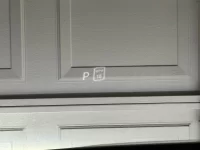
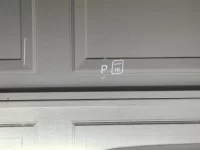
I have the same.Yeah, this is the weirdest HUD I've seen and used. Does it look distorted? I feel like that both letter "P" and rectangle next to it with 18 mph are skewed.
View attachment 34564View attachment 34565

Your pictures do look skewed, but there are various anamorphic optics that make photography challenging so it could be the viewing or capture angle. It's certainly worth asking service.Yeah, this is the weirdest HUD I've seen and used. Does it look distorted? I feel like that both letter "P" and rectangle next to it with 18 mph are skewed.
View attachment 34564View attachment 34565