- Joined
- Aug 26, 2025
- Messages
- 1
- Reaction score
- 0
- Cars
- Lucid Air Touring
Out of curiosity, can this app also act as a key for the car?
No, just the five button actions and battery SOC/charging info.Out of curiosity, can this app also act as a key for the car?

Won’t be a key but what’s awesome is that it’ll wake the car if it has been in deep sleep so when you get to the car with your mobile key, it works as we expect the mobile key should to work. No more waiting for a minute or so fiddling with the phone app by the car to wake up.Out of curiosity, can this app also act as a key for the car?

Oh, I hadn't thought about adding an app shortcut to a complication on my everyday watchface. Good idea!Won’t be a key but what’s awesome is that it’ll wake the car if it has been in deep sleep so when you get to the car with your mobile key, it works as we expect the mobile key should to work. No more waiting for a minute or so fiddling with the phone app by the car to wake up.
Another use case today was opening the frunk from the watch as I approached the car with groceries versus pulling my phone out, waiting for the car to wake, and clicking open frunk from the mobile app. Much easier to do from the watch face when I have it as complication on my Galaxy Watch. Very happy with what @DeaneG has built in even this first version!

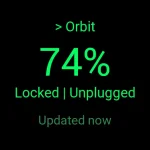
Looks great! Does your watch have a 40mm display size? I can see that the confirmation button need to be fixed so that the text doesn't wrap.Here’s a quick video of how simple it is.
Video
That was going to be my next feedback to you. It’s 46mm display Samsung Galaxy Watch 8 Classic. I knew you were building around your Pixel Watch so didn’t think it major.Looks great! Is that a 40mm display size? I can see that the confirmation button could be made smaller.
I chose to keep the display elements the same dimensions for any watchface size and just adjust their spacing. Maybe I should make them proportional instead.

I keep telling everyone how little has changed while so much has changedAs an aside for those with careers in software, I was a bit shocked to be typing at a CLI in a terminal window to get simple things done while building this app. I first did that almost exactly 50 years ago and am surprised that's still the process. The terminal window I'm using doesn't even support cut or paste.
They could, but it's unlikely, as long as it isn't confusing; don't use the Lucid logo/bear, ensure it is very clear it's a third-party app, etc. They still could because it uses an unpublished API, bit I highly doubt they would.Is there any risk from Lucid asking the app to be pulled? The saying "No good deeds something something"
I would say is to make an open-source GitHub repo with all the necessary legal jargin that Gemini or your AI of choice can spit out. Let people build on your work versus worrying about how to gatekeep it.

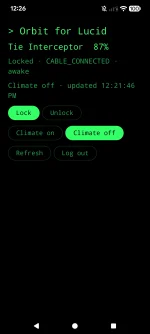
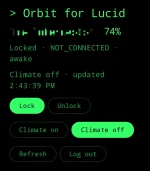
It look better than the UI that Argon put together for me, before I'd given it any guidance!...Don't you just love my advanced UI design?!

is it possible to add an app as a complication to the pixel 5 watch face?Oh, I hadn't thought about adding an app shortcut to a complication on my everyday watchface. Good idea!
Yes, edit the complication on the watch or on the Watch app on the phone. Under "Wear OS" select "App Shortcut", then select the app for the shortcut.is it possible to add an app as a complication to the pixel 5 watch face?
 github.com

I agree it's a great idea, but if there are folks having issues with the key fobs, phone app, and the card, there'll be situations where adding the watch app on top of the 3 still won't eliminate the problem.It just dawned on me that these watch apps will be a super handy option for the folks who keep complaining that the car locks with the key/phone left in the car.
As long as your phone is still on and has cell service, problem solved.