
weird. i had it work just like normal mic + x, then hold break it worked after 10 seconds like normal. i don’t know if it registers if you don’t hold the buttons before breakOk, just tried “mic”+”X”+ “brake” for almost 2 minutes without success… How to Gravity owners reboot their cars?
You are using an out of date browser. It may not display this or other websites correctly.
You should upgrade or use an alternative browser.
You should upgrade or use an alternative browser.
3.0 on Air
- Thread starter nashvillelucid
- Start date
- Joined
- Jan 29, 2022
- Messages
- 175
- Reaction score
- 104
- Location
- Glenview, IL
- Cars
- Air Touring
- Referral Code
- WSTDQYB8
It took my tech much more than an hour to install mine. Its been a while but i think at least a coupleThank you. $250 for the labor is not much at all. I am assuming one hour of labor.

- Joined
- Jan 2, 2026
- Messages
- 404
- Reaction score
- 629
- Location
- Detroit, Michigan
- Cars
- 2023 Air GT (White)
From my two whole trips driving with UX 3.0 today I notice:So after all these posts, what does this new version give us that the current version didn't?
- True multitasking between the right side of the cockpit screen and the Pilot Panel
- More detailed options for EV specific settings for navigating
- The ability to personalize the launch pad icons so that the things you want / need to access quickly are always present on the Pilot Panel
- Vehicle Opening icons are on the Home Screen of the Pilot Panel
- More logical operation of infotainment offerings
Attachments
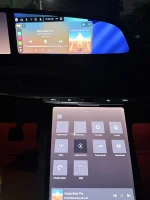

Are you really not familiar with myriad complaints that many (not all) have about 2.10 and earlier UX? This is not the thread to regurgitate them but I'm so far very impressed with the speed and responsiveness. Seems like nothing went untouched, even the steering wheel volume control rate is different (way better).What are you hoping for in this update that will convince your wife to stay with Lucid?

- Joined
- Aug 23, 2025
- Messages
- 504
- Reaction score
- 285
- Cars
- Lucid Air Grand Touring
Other side of the sword. If they dumped the update to everyone at once and theres an issue, you have a massive base of people complaining and a potential disaster. It always sucks to be on the lagging end (that’s historically where I’ve been) but it’s better for everyone in
That’s the labor charge. Doesn’t matter how long it tookIt took my tech much more than an hour to install mine. Its been a while but i think at least a couple

- Joined
- Apr 21, 2026
- Messages
- 73
- Reaction score
- 86
- Location
- San Diego, California, USA
- Cars
- 2023 Lucid Air Touring
This is what I have found:So after all these posts, what does this new version give us that the current version didn't?
- Vastly improved audio for Surreal Surround Sound Pro. It is amazing with Spotify and Apple CarPlay.
- Hands free drive assist nags less and lane change is smoother.
- More customization allowed for accessing different settings from the pilot panel.
- Profile switches have been more reliable, especially for seat settings.
- Profile switches take longer.
- Navigation screens vastly improved and routing improved as well.
- After a learning curve of a couple of hours it does seem to easier to access settings and to switch between CarPlay and the home screen in the right cockpit panel.
- I don't regret the CCCv2 upgrade cost at all.

- Joined
- Aug 18, 2020
- Messages
- 1,427
- Reaction score
- 1,168
- Location
- Tucson, AZ
- Cars
- LCID DER,GGT TSLA X,CT
- Air DE Number
- 153
- Referral Code
- 0M97RTIO
I don't think those are controlled by the entertainment hardware. Anything to do with driving, would be the Dream Drive hardware.Hands free drive assist nags less and lane change is smoother.
Lane change is definitely smoother. It feels more natural. Before this update, the lane change was abrupt.I don't think those are controlled by the entertainment hardware. Anything to do with driving, would be the Dream Drive hardware.
Lane change is definitely smoother and feels more natural. Before this update, lane change was abruptI don't think those are controlled by the entertainment hardware. Anything to do with driving, would be the Dream Drive hardware.

Agreed. However, wouldn’t they be capable of injecting software to modify the DD performance underneath this UX skin change though? As if we would look at it through the lens of a DD performance update with some UX changes.I don't think those are controlled by the entertainment hardware. Anything to do with driving, would be the Dream Drive hardware.
Genuinely asking because I have no software experience and don’t know if those two would be separated by different teams/versions.

- Joined
- Jul 21, 2026
- Messages
- 20
- Reaction score
- 35
- Location
- Northern Virginia
- Cars
- Lucid Air Dream Edition
- Air DE Number
- 488
Nobody's saying that the UX upgrade changes the ADAS hardware, but keep in mind that OTA software updates don't only affect the behavior of the infotainment system; they affect the ADAS system as well. I'm not a software guy either, but I'm well aware that improvements to the Air's Dream Drive over the years have been delivered via OTA updates. I'm not saying that this particular UX 3.0 OTA update provides any improvements to Dream Drive, but it's flat out wrong to assume that it's not possible for an OTA update to change Dream Drive behavior.I don't think those are controlled by the entertainment hardware. Anything to do with driving, would be the Dream Drive hardware.
Yeah just because they changed the ui doesn't mean they didn't make changes to other things, like improving the volume rocker on the steering wheel or the way lane change assist work.Nobody's saying that the UX upgrade changes the ADAS hardware, but keep in mind that OTA software updates don't only affect the behavior of the infotainment system; they affect the ADAS system as well. I'm not a software guy either, but I'm well aware that improvements to the Air's Dream Drive over the years have been delivered via OTA updates. I'm not saying that this particular UX 3.0 OTA update provides any improvements to Dream Drive, but it's flat out wrong to assume that it's not possible for an OTA update to change Dream Drive behavior.
Update arrived middle of the night. Went ahead and started install via app and enjoyed the new UX on the drive into work.Still waiting. East Coast. 22 Air GT with the upgrade.
My main ask is the multi tasking. I leave the map open for traffic but still want access to audio controls.
Enjoying the multi tasking.
Only slight complaint is the search bar on the map screen. Any way to hide that? Used to be able to hide the larger search bar. This is a smaller one but still annoying to me. Especially when it’s showing on the top screen.
I have a 22 AGT, with the CCCv2 upgrade, and have been driving with it for a couple of days.
Im very happy with it (thanks @Lucid !) so far.
Everyone will have different opinions on the visual look and feel (I happen to like it) so these are just my functional observations.
Im very happy with it (thanks @Lucid !) so far.
Everyone will have different opinions on the visual look and feel (I happen to like it) so these are just my functional observations.
- It is largely a visual / reskin update. There aren't a ton of new features that I could discern, but the reskin is uniform and smart. eg., small things like the Homelink screens look uniform and stay alive longer so you have time to hit them when you are leaving a garage
- The various screen usages and multitasking is a huge improvement. Everything is snappier, and you can use Android Auto and Lucid Infortainment much more in parallel (more on this in a bit).
- The maps are now really beautiful and fluid, and many more navigation options. Feels like a huge upgrade to Nav.
- Subtle changes to how easy/entry exit are handled. The difference in exit position is much less extreme. Took a couple of times to get used to but a nice fix.
- For me the biggest and most welcome change is to how Android Auto is handled alongside Lucid infortainment. As many have stated before, spotify->AA is not as good sound quality in SSPro as spotify native. Now you can have Waze running, Gemini assisting, and the pilot panel is beautifully playing high quality music on Spotify or Tidal. You can very easily turn off AA with one screen button and invoke again if you want it. Very well handled.
- I do think that the cameras are sharper and snappier, and LCA does seem more smooth to me, but this could be recency bias as I didnt have a problem with them before.
- I still have not figured out how to change the three cards on the main panel

- Joined
- Jun 18, 2024
- Messages
- 100
- Reaction score
- 61
- Cars
- 2022 Grand Touring
The update is a huge improvement, but in the navigation, I wish you could label your favorites and actually re-order the list. It just places them in whatever order you added them, and even then it’s sometimes random.
Tap on the map it will go awayUpdate arrived middle of the night. Went ahead and started install via app and enjoyed the new UX on the drive into work.
Enjoying the multi tasking.
Only slight complaint is the search bar on the map screen. Any way to hide that? Used to be able to hide the larger search bar. This is a smaller one but still annoying to me. Especially when it’s showing on the top screen.

- Joined
- Mar 14, 2026
- Messages
- 370
- Reaction score
- 644
- Location
- Silicon Valley
- Cars
- Stellar DE-P
- Air DE Number
- 088
Pops, I owe you an apology. While I was counseling patience, mine was busy downloading.My fault I guess the humor () added to the comment didnt translate to I'm not really asking them for anything, just antsy to get the update. If I really needed something I'd just text my contact at lucid lmao, also I am signed up on the tracker app.
Normally I am the last in line for everything [Doorman at nightclub: Hey you, get to the back of the line with the rest of the undesirables!]
The last two updates for me were so delayed that I had them pushed during service. I have only had 2.10 for two weeks, for example.
This one came fast, and LucidTracker shows 28% deployment in under 48 hours. It looks like the Lucid software team really has gotten their act together. And the UI improvement is awesome so far.
One thing I wanted to point out, is that I am pretty sure this upgrade has the fingerprints of Emad on it. He was working hard on software when he separated.
Emad, whereever you are, you have our thanks!

- Joined
- Mar 24, 2026
- Messages
- 104
- Reaction score
- 151
- Location
- San Francisco Bay Area
- Cars
- Lucid Air Pure 2026
I’ve noticed many comments wishing for this or that or the other thing on the new update. I, myself, have my own wishes. Please do send a concise email to [email protected]. I was one of the lucky people at the software preview on September 17. I can say from personal experience that the people @Lucid do listen, and it does matter to them.
Man I still haven't gotten my update yet haha, how do I sign up to become a beta testerPops, I owe you an apology. While I was counseling patience, mine was busy downloading.
Normally I am the last in line for everything [Doorman at nightclub: Hey you, get to the back of the line with the rest of the undesirables!]
The last two updates for me were so delayed that I had them pushed during service. I have only had 2.10 for two weeks, for example.
This one came fast, and LucidTracker shows 28% deployment in under 48 hours. It looks like the Lucid software team really has gotten their act together. And the UI improvement is awesome so far.
One thing I wanted to point out, is that I am pretty sure this upgrade has the fingerprints of Emad on it. He was working hard on software when he separated.
Emad, whereever you are, you have our thanks!

- Joined
- Mar 24, 2026
- Messages
- 104
- Reaction score
- 151
- Location
- San Francisco Bay Area
- Cars
- Lucid Air Pure 2026
I’ve noticed exactly coincident with the update that my trip information card shows a significantly lower m/kwh than before the update. Example: a drive where I regularly and consistently get 4.4 to 4.65 m/kwh now comes in at 4.05 to 4.1. Anybody else notice something like this? This also shows up in my account on lucid tracker plus. Am I really getting lower mileage, or are they handling the math differently? That is the question.
This did not work for me.Tap on the map it will go away
Under the old version, this is what I would do. Tap on it and the big search window taking up half the panel would go away.
The new UX has a search bar in the top left that has shortcut icons for home, work, favorites, and a grid for categories of other things. I can’t get that to go away by tapping.
Finally, does everyone else’s screen default to the Home Screen each time you get in the car? I used to leave mine on navigation and it would stay there.
Now, every time I get in the car, it starts with the home green with the pic of the car. I have to select navigation which isn’t a big deal. What’s annoying is the orientation keeps changing. I prefer it just stays on north up. But I have to cycle through the various ones.