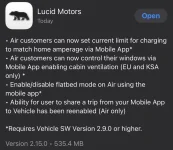
Air Version 2.9.0

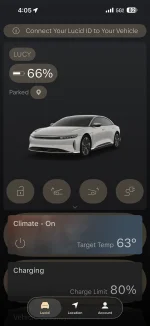
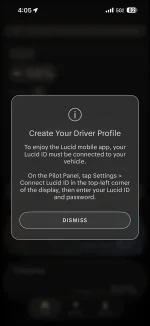
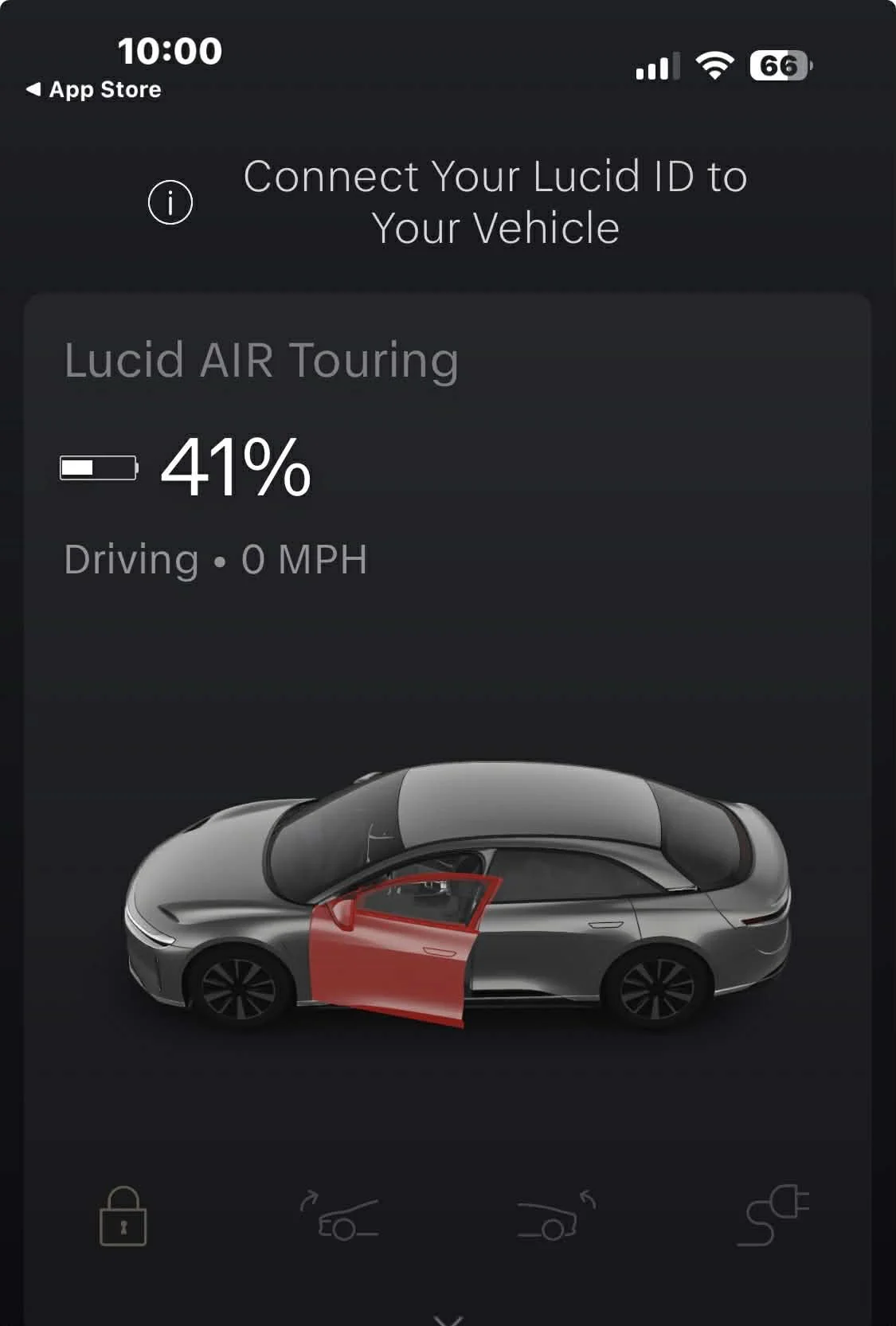
Same happened to me. It asks to connect ID to the car. But also shows that the car is driving at 0 mph with driver's door open (while the car is sitting locked in the garage), this started even before I updated the app. I hope this is one of the (many) temporary glitches that go away on their own. And still cannot share destination with the vehicle despite claim to the contrary in the app update description..
1777352619536.webp
 
Same happened to me. It asks to connect ID to the car. But also shows that the car is driving at 0 mph with driver's door open (while the car is sitting locked in the garage), this started even before I updated the app. I hope this is one of the (many) temporary glitches that go away on their own. And still cannot share destination with the vehicle despite claim to the contrary in the app update description..
View attachment 38426
Did you enable Ghost Ride the Whip mode?
 
Same happened to me. It asks to connect ID to the car. But also shows that the car is driving at 0 mph with driver's door open (while the car is sitting locked in the garage), this started even before I updated the app. I hope this is one of the (many) temporary glitches that go away on their own. And still cannot share destination with the vehicle despite claim to the contrary in the app update description..
View attachment 38426
I’m getting the same message that my driver door is open when it is closed. The Pure is showing the “connect your vehicle message” but the GT does not. New app. 2.8.30 cars. Unable to share location from Apple/Google Maps or even the Lucid app itself. Anyone on 2.9 seeing the ability to share map location return? (Despite the app notes indicating this is not a requirement)
 
I have this after updating my mobile app. I can see my car in the app. Need to check the car in the morning.

View attachment 38423
FWIW, updated the app on IOS (no update for Air yet) and got the same message. Car showed it was "connected". Force quit and reopened the app, no change. Logged the Car out and back in via the Pilot panel and the message disappeared from the app. YMMV.
 
I believe the communication protocol has changed from app to car. Until they push out the car update, we’re going to have some weirdness. Ios26 was blocking the protocol used for map sharing, for instance (from what I had read)
 
I really don't think Lucid can afford to keep putting out crummy updates. This stuff creates really bad word of mouth.. I figured this update would reflect the management changes. I was thrilled to hear sending destinations to the car was fixed, but as I noted earlier it's still broken. Sigh.
Again, as many have suggested, I’d wait until you actually get 2.9.0 on the car before passing judgment on this.

Could still be broken. But this seems like something that could require a change at both ends.
 
I logged out and back in on both the car and the mobile app on that order. The message to connect id to the car has disappeared. Still on 2.8.30 and mobile app on iOS at 2.15.0.
 
Same here. Confirmed that I was in fact connected.
 

Attachments

  • IMG_1562.webp
    IMG_1562.webp
    81.9 KB · Views: 131
  • IMG_1563.webp
    IMG_1563.webp
    60.3 KB · Views: 154
I really don't think Lucid can afford to keep putting out crummy updates. This stuff creates really bad word of mouth.. I figured this update would reflect the management changes. I was thrilled to hear sending destinations to the car was fixed, but as I noted earlier it's still broken. Sigh.
Are you upgraded to 2.9.0? It won't work if not on the newest release
 
The original note from Lucid indicated destination sharing worked on the current release.
Note that there is no asterisk under that function.
Then, more recently, the asterisk as added. Stuff happens, but a bit of a clown show.
 

Attachments

  • Screenshot 2026-04-28 at 1.36.29 PM.webp
    Screenshot 2026-04-28 at 1.36.29 PM.webp
    137.9 KB · Views: 171
First real update since they cleaned house on the software team? Let's see what you got, Lucid. Time to start earning trust with these updates.
 
am I the only one excited about Scheduled charging working properly for this update? Lol
 
am I the only one excited about Scheduled charging working properly for this update? Lol
I'm excited about several items, but they seem mainly to be bug fixes rather than new features. But where is the update? I think only one person has reported getting it in this thread.
 
And here I am bumping along on 2.8.16 😄
I am still on 2.8.12 and it says 'your software is up to date'.

2026 Air Touring, Stealth w/glass canopy, 20" Aero Lite Stealth wheels, Mojave Leather, DreamDrive Premium, Comfort and Convenience Package.
 
In the vehicle, log out and back in. That will fix it.
Thanks. It has been over two years since I created my profile and I am a little nervous about remembering my password lol. I will try it late morning and report back if there are any issues.
 
Thanks. It has been over two years since I created my profile and I am a little nervous about remembering my password lol. I will try it late morning and report back if there are any issues.
It’s the same username and password as the owner portal.


So perhaps try it there first. There is a forgot your password option there.
 
I am still on 2.8.12 and it says 'your software is up to date'.

2026 Air Touring, Stealth w/glass canopy, 20" Aero Lite Stealth wheels, Mojave Leather, DreamDrive Premium, Comfort and Convenience Package.
May want to contact customer service and ask them to push the latest update.
 
Back
Top