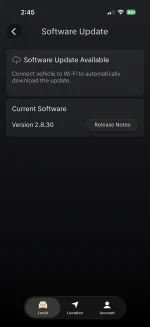
We’re excited to share that OTA version 2.9 is now rolling out to Lucid Air owners. This release brings a range of improvements and refinements designed to enhance your driving, comfort, and overall ownership experience. The release will be staggered over the next couple of weeks, and we’re working to ensure every Air owner receives it as quickly as possible—we appreciate your patience in the meantime. As always, your feedback continues to shape these updates—thank you for being part of the journey.
RELEASE HIGHLIGHTS
This update delivers thoughtful improvements to your Lucid Air driving and ownership experiences. (NEW) Better places search in Lucid Navigation makes it easier to find and choose your next destination. (NEW) Plug & Charge has been expanded to include compatible Tesla Superchargers across North America for greater charging confidence. DreamDrive now features smoother, more natural lane changes. Further enhancements to your vehicle’s Audio, Media, and Ambient Lighting improve everyday comfort, personalization, and reliability.
RELEASE DETAILS
(NEW) Better Places Search in Lucid Navigation
Lucid Navigation now uses Google Maps Places API to provide richer, more reliable information about every destination with every search. Enjoy fresher results, more accurate business details, and useful place insights, including ratings, photos, and parking information.
See the real driving distance to potential destinations, rather than estimates, to make more informed choices about where to go.
View more comprehensive charging station results that now include recent photos and better real-time charger availability, so you can know more before you go and route to the best station for you.
Simply use the on-screen search bar to find destinations more naturally. For example, just type: “Vietnamese restaurants near me” and see relevant, up-to-date results instantly.
Note: Places data from Google Maps is available only when your vehicle is connected to the internet.
Note: CCCv2 infotainment hardware required for Better Places Search in Lucid Navigation. For details on upgrading to CCCv2 hardware, contact your Service Center.
(NEW) Plug & Charge at Tesla Superchargers
Use Plug & Charge at compatible Tesla Superchargers across North America. When a valid payment method is linked to your Lucid Wallet, just plug in to start charging and pay.
Navigation
- Improved route planning means Navigation will offer new routes in real time with charging stops to ensure you arrive at your destination with range to spare.
- Refined traffic light visuals along your route reduce clutter and improve clarity.
DreamDrive
- Maneuvers with Lane Change Assist are now even smoother, and your turn signal will automatically turn off earlier when the lane change is complete.
- While passing a slower vehicle on the left, Adaptive Cruise Control will now provide a slight acceleration boost to overtake the vehicle more quickly and smoothly.
Smart Energy
- Navigation search results now include compatible Tesla Supercharger locations, making it easy to find, route to, and charge on the go. A Lucid-approved NACS-to-CCS adapter is required for charging at Tesla Superchargers.
- Scheduled Charging will now start as expected if you plug in within six hours of your scheduled time, letting you charge when you intend and take advantage of off-peak hours. Otherwise, your vehicle will wait until the next session, keeping your charging on your schedule.
- Adjust your Current Limiter setting directly in the Lucid mobile app, giving you more flexible control over how your vehicle fits into your home’s energy use.
- Range on Arrival on the Instrument Cluster Panel now matches your preferred range unit and stays fully synchronized with Navigation.
Audio & Media
- Improved call handling across apps and improved Bluetooth stability during calls
- Improved radio availability after vehicle wakes up
Note for Tidal users: After installing this update, you will be required to sign back into your Tidal account.
SiriusXM
- More reliable playback during and after slow network connections
- More reliable Channel and Podcast details and Favorites selections
- Improved Favorites synching, so Channels you unfavorited are removed everywhere
- Playback now picks up right where you left off after a phone call
Interior Lighting
- On the PureLuxe Trim, your ambient lighting options will be the Lucid Themes colors
Shock & Tilt
- Your vehicle’s Shock & Tilt alarm will now go silent automatically if you do not respond after five consecutive alerts.