Lucid Gravity UX 3.6 is here!

I have had this happen a couple times at same spot like you (did not see any construction though). The good news is that when system stops hands free and you get the “Take control warning”, in most cases, it just switches to older “Hands On” Drive Assist, so it is not going to run into car in front of you or run off freeway suddenly, it is just a little uncertain and wants you in more control. In my few cases, it has re-engaged within 10-20 seconds.
I'd say yes most of the time. I had one occasion where it completely disabled all ADAS and started rapidly decelerating before I was able to accelerate again with just a chime as it did it.
 
I think this update fixes my long-standing compliant (design flaw, not bug) about mirrors auto-unfolding when the car is unlocked!!! Some of you might recall I had to remove part of my garage wall because the GGT mirrors auto-unfold when the car is unlocked, even if you folded the mirrors via button press before locking. So the passenger-side mirror would auto-unfold and smack the garage wall. But....I think on UX 3.6 the GGT mirrors stay folded if you folded them via button press before locking the vehicle? I've only used the car twice since the update, but both times that was the observed behavior. I don't drive often and the garage is a few blocks away. If anyone has the time and inclination, would you please double check? Park. While in vehicle, fold mirrors. Exit vehicle. Lock vehicle. Walk away. Return to vehicle. Unlock. Do mirrors stay folded for you???
 
So when driving on a local Interstate highway near me, I was using the hands free DD and the highway eventually comes to an end and becomes a local 2 lane roadway and when we started getting near it, DD warned me that I’d have to take over soon as it knew the highway was ending and just about as it did, the hands free portion of DD ended and alerted me and switched to hands on. It handled it very excellently and I was quite impressed as I wasn’t sure what it was going to do there. Coming back up the opposite way, it was hands on DD and the system automatically switched to hands-free once it was allowed. Very nice job Lucid team!
 
Yup. Try finding a 3-lane highway in New Mexico that's long enough as specified in the manual, not heavily occupied, and in daylight! When I initially calibrated the system I drove through heavy traffic (for ABQ) and road construction. Last night it was pitch dark. But it worked!
Mine calibrated in the left lane of I25 between I40 and Alameda midmorning. I was very pleasant.y surprised...
 
Ok, have been driving around town for a couple days (200+ miles).... Feel like the update is 2 steps forward, 1 step back. First the good, frunk opening is significantly better. Maps integration with Google is helpful. Love how the trip vote on the native maps now zooms in as you go along your route instead of keeping the whole route displayed. The phone call quality is way better (no more complaints from my wife about not being able to hear me).

Now the bad. Hands free Dream drive pro is not safe. There are way too many completely random disengagements. The worst part is it doesn't revert to the hands on version and tell you to grab the wheel. It just completely disengages on the highway, and if you have lane keeping off like I do (find it annoying), once dream drive disengages, the car just starts veering into next lane while slowing down. I previously had Tesla since 2017 and dealt with all the phantom braking, etc, but nothing seems as unsafe as this. Just be vigilant if you are trying it out.

 
Ok, have been driving around town for a couple days (200+ miles).... Feel like the update is 2 steps forward, 1 step back. First the good, frunk opening is significantly better. Maps integration with Google is helpful. Love how the trip vote on the native maps now zooms in as you go along your route instead of keeping the whole route displayed. The phone call quality is way better (no more complaints from my wife about not being able to hear me).

Now the bad. Hands free Dream drive pro is not safe. There are way too many completely random disengagements. The worst part is it doesn't revert to the hands on version and tell you to grab the wheel. It just completely disengages on the highway, and if you have lane keeping off like I do (find it annoying), once dream drive disengages, the car just starts veering into next lane while slowing down. I previously had Tesla since 2017 and dealt with all the phantom braking, etc, but nothing seems as unsafe as this. Just be vigilant if you are trying it out.
Wow. Maybe something else is going on with a sensor or camera or something? It has been REALLY good for me with one or two shut offs but it very clearly says it’s shutting off. One of the times it went back to hands on and the other time it was very clear it was no longer able to run and had me take full control. I will still stay vigilant any and every time the system is on tho and thanks for sharing your experience with it.
 
Ok, have been driving around town for a couple days (200+ miles).... Feel like the update is 2 steps forward, 1 step back. First the good, frunk opening is significantly better. Maps integration with Google is helpful. Love how the trip vote on the native maps now zooms in as you go along your route instead of keeping the whole route displayed. The phone call quality is way better (no more complaints from my wife about not being able to hear me).

Now the bad. Hands free Dream drive pro is not safe. There are way too many completely random disengagements. The worst part is it doesn't revert to the hands on version and tell you to grab the wheel. It just completely disengages on the highway, and if you have lane keeping off like I do (find it annoying), once dream drive disengages, the car just starts veering into next lane while slowing down. I previously had Tesla since 2017 and dealt with all the phantom braking, etc, but nothing seems as unsafe as this. Just be vigilant if you are trying it out.
I've only had it completely disengage once, the other times it always went back to hands on. It didn't veer at all though, are you sure your alignment is ok?
 
I've only had it completely disengage once, the other times it always went back to hands on. It didn't veer at all though, are you sure your alignment is ok?
No issues with alignment. I keep my lane departure protection off because I find it annoying and too aggressive. Yes, there have been a few times it goes back to hands on and a few times where it alerts me to take over. But there have also been several times where it just disengages without warning (even 1 time like this is very dangerous) and has me concerned about safety of this update. I'm sure it'll get better with new updates, but they need to patch this behavior quickly!
 
Now the bad. Hands free Dream drive pro is not safe. There are way too many completely random disengagements. The worst part is it doesn't revert to the hands on version and tell you to grab the wheel. It just completely disengages on the highway, and if you have lane keeping off like I do (find it annoying), once dream drive disengages, the car just starts veering into next lane while slowing down. I previously had Tesla since 2017 and dealt with all the phantom braking, etc, but nothing seems as unsafe as this. Just be vigilant if you are trying it out.
Something misbehaving with yours.

I have LOVED the hands free and automatic lane changing. Works very well, smooth, intuitive, human like movements. If there is merging and traffic it will sometimes revert back to hands-on drive assist. Only once, and in an appropriate situation it gave me the red warning to take over immediately which I did and then canceled manually right away. I've never had it completely disengage randomly.

My only gripe with the new update is now my steering wheel doesn't go to my pre-set location automatically when i enter and hit the brake. I have to click on the steering wheel adjustment and hit restore every time. The seat moves, but not the steering wheel. New issue since 3.6

Overall a very good update. Key fob definitely more responsive but i was reasonably content before.

Only thing i really want from here is phone as a key, eventually a comment on realigning the HUD, and continued small refinements.
 
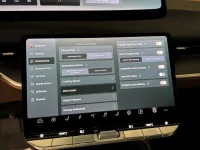
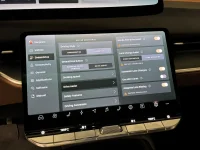
Great thread here, and great car (GGT)! Got UX 3.6 update last Thursday - noticed many of the fixes discussed here: corrected frunk opening, more responsive range to key on approach, better HomeLink operation, etc. BUT BUT no Hands Free, no calibration messages, just the same 8-second ride as before. How can I get this to calibrate, or generate a calibrate signal, or will it just happen when I drive for the first time on a 3-lane-in-each-direction highway?? When I enter the car cold, I get Hands Free features unavailable, but then all those messages disappear, see attached, taken 20 seconds apart. Thoughts? Am I being too impatient? Go find a 3 lane highway 45 minutes away from here?? Thanks for anyone listening!!
 

Attachments

  • IMG_2620.webp
    IMG_2620.webp
    1.4 MB · Views: 82
  • IMG_2619.webp
    IMG_2619.webp
    1.4 MB · Views: 84
[…] Now the bad. Hands free Dream drive pro is not safe. There are way too many completely random disengagements. […] Just be vigilant if you are trying it out.
Good advice. Hands-free should be used with care.

I’ve driven over 700 miles with this update, testing the limits of hands free. It’s fairly predictable when hands free will do well and when you may need to take over (before the car asks you to do so). It works great on major interstates with clear lane markings, straightaways or slow sweeping bends, and consistent road conditions.

Take care on smaller highways that are inconsistent. DDPro doesn’t do well on shaper curves. Pay particular attention when the highway starts to look “different,” as the new visuals are the times that DDPro may want you to take over or when you’ll need to intervene.

DDPro/hands-free works great as long as you use DDPro within its limits and not what you wish it could do.
 
Last edited:
Fob bug re-appeared today.
Shaking didn't do it, but power down did.
Has been a long time since the last time car didn't recognize the fob.
Fresh battery a month ago and current software version.
 
You need to drive on multi-lane freeway for hands free to calibrate. It will not calibrate on 2 lane highways.

I-10 by where I live is the widest freeway in US (maybe world) with 20-22 lanes if you include HOV and feeder roads. Only took about 10 minutes for me to calibrate once I got on freeway.

One suprise was that I thought it was only supposed to display 5 lanes on dash display. But it now displays 7 lanes - 2 HOV lanes plus 5 main lanes.
Guess I'm waiting until I get on a highway when I take my car in for service in a week
 
My only gripe with the new update is now my steering wheel doesn't go to my pre-set location automatically when i enter and hit the brake. I have to click on the steering wheel adjustment and hit restore every time. The seat moves, but not the steering wheel....
I've had a few initialization-type bugs with 3.6 that I solved by changing the value set in the UX and then changing it back again.
Try moving your steering wheel to another position and save that position. Then move the steering wheel back to the position you want and save it again.
 
I've had a few initialization-type bugs with 3.6 that I solved by changing the value set in the UX and then changing it back again.
Try moving your steering wheel to another position and save that position. Then move the steering wheel back to the position you want and save it again.
Tried that, didn't work.

Hoping to avoid deleting and recreating the profile which I assume would fix it
 
I have yet to use most of the new features. One major change I’ve already noticed after this update: the car detects my fob even through a faraday pouch. It didn’t do that before.
 
Since the update, I've driven DDPro 500+ miles on interstate, freeways with construction and heavy rain in the Houston area without problems. I've enjoyed it!
 
Today I had a random disengagement that also kicked the cruise control. The car started braking (regen) immediately in the middle of the freeway, for no reason. That's frustrating and unsafe.

Then on the next drive, the car location got stuck at the airport parking lot. Of course, that messed up with everything that depends on the car location, like hands-free driving, speed limit, etc. Here I am on the freeway, the speed limit is 5 and hands free doesn't work.

Interestingly, Android Auto was smart enough to realize the car was sending bogus location to the phone and gave up on that. It took a minute or so.

PXL_20260617_162627901.webp
 
First let me say that 3.6.0 is overall a big winner so far.

One area that it originally appeared to address was my issue with HomeLink. Pre-3.6, I had to push the screen icon several times to finally get a gate or garage door to open, 3.6.0 fixed that. However after a week of so, it regressed to a new issue that didn’t appear right away after update but a week or so later.

I have an electronic driveway gate and garage door both of which I use HomeLink to open. Now, if I approach the driveway and press the “gate” icon, it opens the gate but the garage icon is no longer visible and I have to hard reboot to get it back and get the garage door to open. Likewise, when I pull out of the garage to leave, I push the garage icon to close the garage door. However, after doing that the gate icon no longer shows up as active until I do a hard reboot. Clearly not desirable. Also strange that it all worked perfectly for a while but has now regressed.
 
Back
Top