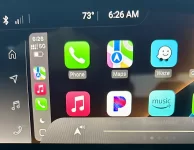
I’m hoping and wishing and praying that I have found the solution for the volume dropping for five to ten seconds randomly while having an iPhone in your car and it being powered on and being used in any form or fashion in your Lucid. I’m gonna take screen grabs and show you each step to take and hopefully it’ll work for you.
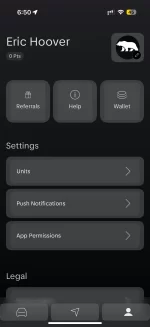
1. Go into the Lucid app and select App Permissions from the profile page. This will then switch you over to Apple’s permissions page for your Lucid. You will see many items on the screen for tabs and the one we want to work with is Apple Intelligence and Siri.
2. Select the Apple Intelligence in Siri tab, and it will take you to another screen.
3. On this screen, turn all four toggles to gray, which is off.
I did this driving to work and back, which is around 85 to 90 miles today and my radio didn’t drop down one time after doing this. Of course you’ll lose Siri in the mix, but I would rather have music than have to be listening to a song and every three minutes it drops down and volume.
Please let me know if this helps you out or not and if I see that it doesn’t work, I’ll get back with you myself. Good luck to you all and have a great day. Drive safe.