Aftermarket phone mount option (MagSafe)

lucidy

New Member

Joined
Sep 9, 2025
Messages
13
Reaction score
31
Location
Bay Area
Cars
Gravity GT
Referral Code
PM1KDLP1
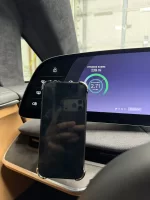
I was looking for a clean-looking way (relatively) to mount my phone until the Apple CarPlay/Android Auto.

After testing out a few different options, this is the mount location and the simple phone mount that works for me:
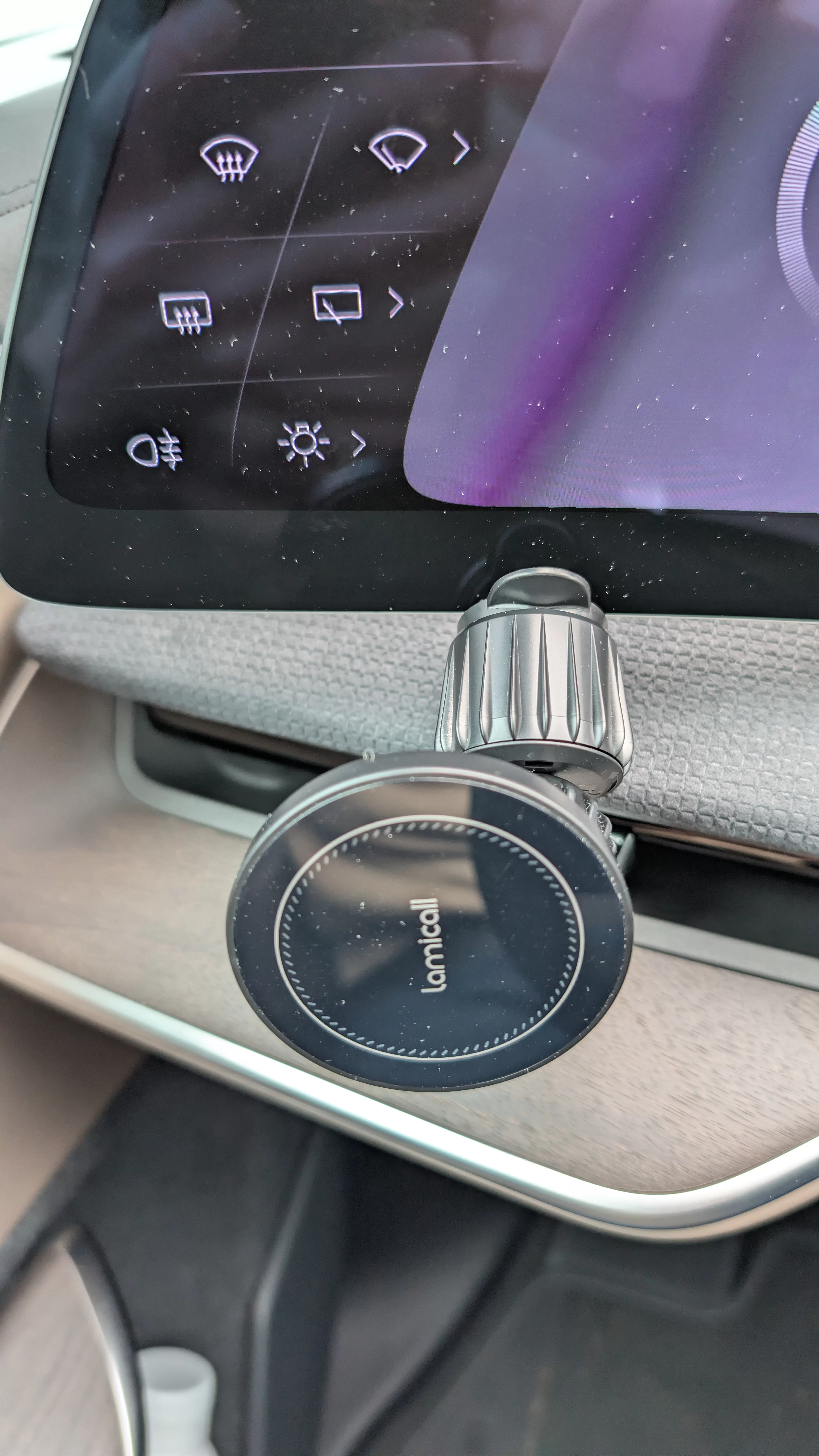
Lamicall Car Vent Mount
($10 w/ promo code LAMICV09T - Actually a wireless charger too, although I'm only using it as a mount)

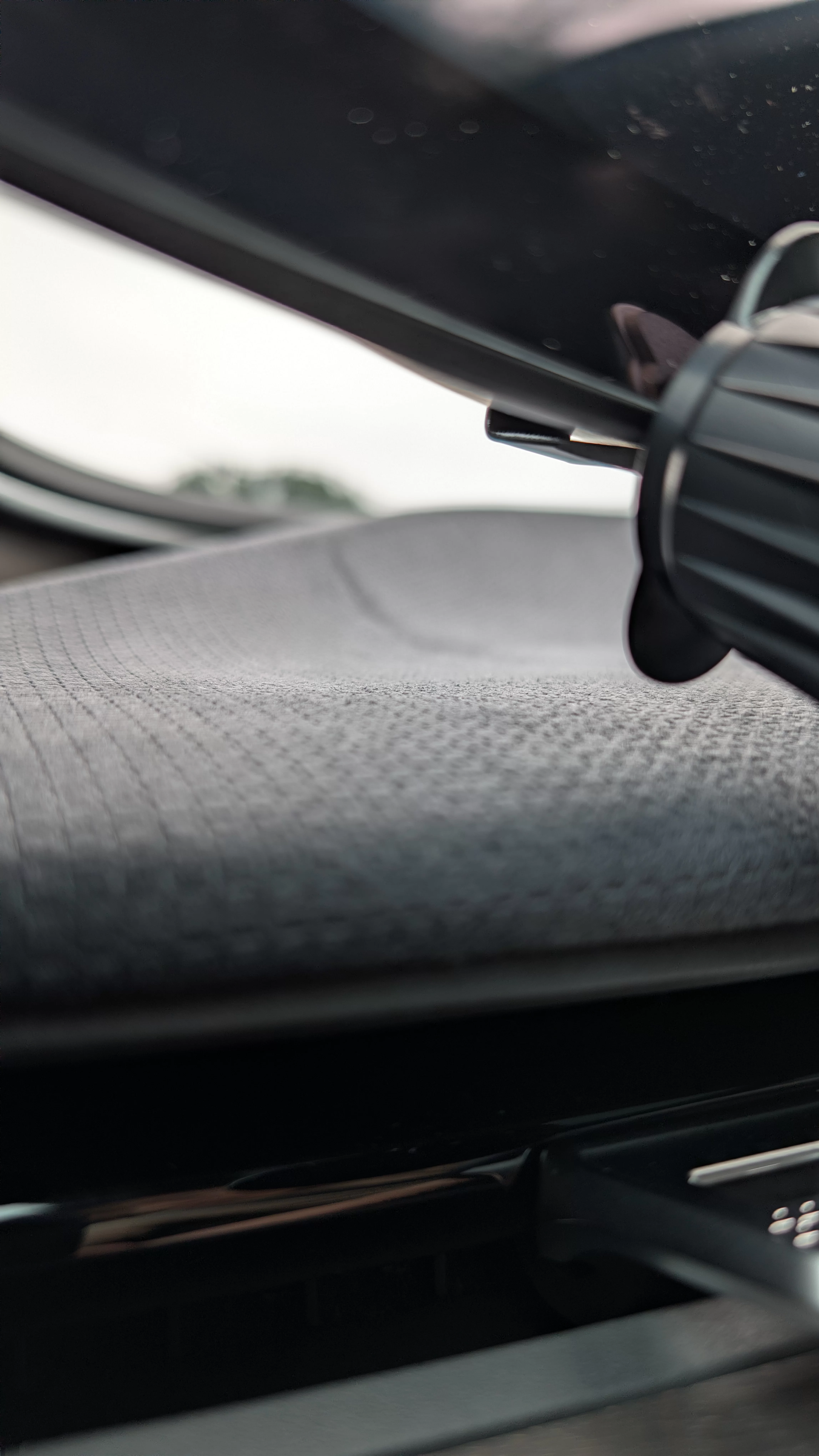
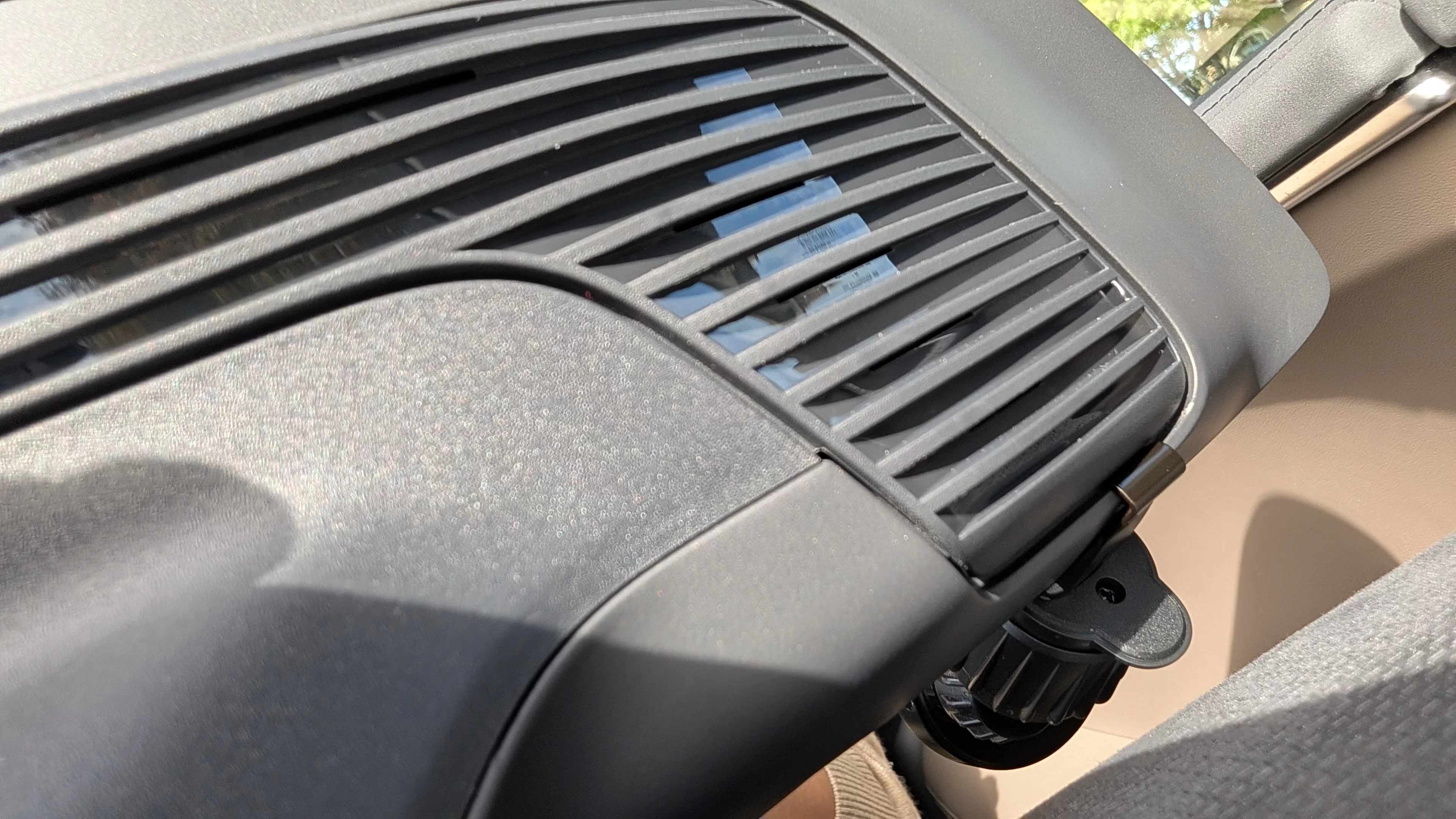
The air vent hook grabs well to the back of the Clearview Cockpit plastic trim piece, and the rubber padding gives it a snug fit on the screen's bottom edge.
1_front.webp

2_side.webp

3_back.webp
 
Thanks for sharing! Just ordered and promo code works!
 
Could you mount it on the right side instead of the left?
 
Thanks! I ordered one too.
 
I was looking for a clean-looking way (relatively) to mount my phone until the Apple CarPlay/Android Auto.

After testing out a few different options, this is the mount location and the simple phone mount that works for me:
Lamicall Car Vent Mount
($10 w/ promo code LAMICV09T - Actually a wireless charger too, although I'm only using it as a mount)

The air vent hook grabs well to the back of the Clearview Cockpit plastic trim piece, and the rubber padding gives it a snug fit on the screen's bottom edge.
View attachment 37154
View attachment 37155
View attachment 37156
Thanks much! Just ordered and the promo code still works.
 
Grabbed this on Amazon as well, and just mounted it in the same spot. It feels like most of the weight is on the hook hooking to the rear vent behind the cockpit screen, and I'm a little concerned about the pressure placed on that screen may cause cracks in the long run. But it's a good short-term, cheap solution for now.

I'm going to try to use it as an actual MagSafe charger, and I'm routing a 6 ft. charging cable around the screen and down the pilot screen side into the USB charging ports in the console. It's not exactly pretty…will see if I can found some reasonable clamps to keep it tied down.
 
unfortunately looks like you can only mount on the left w/ this phone mount, as there's no space & trim for the hook to grab onto at the right side :(
I just checked and the right side appears to be identical on the backside.
 
I just checked and the right side appears to be identical on the backside.
the plastic trim pieces are there on the backside, but the phone mount would be obstructed by the dashboard and the Pilot Panel on the screen side
 
Thanks!! I was looking for a clean way to mount my phone, this is great and fits well (until we get CarPlay and AA )!
 
I was looking for a clean-looking way (relatively) to mount my phone until the Apple CarPlay/Android Auto.

After testing out a few different options, this is the mount location and the simple phone mount that works for me:
Lamicall Car Vent Mount
($10 w/ promo code LAMICV09T - Actually a wireless charger too, although I'm only using it as a mount)

The air vent hook grabs well to the back of the Clearview Cockpit plastic trim piece, and the rubber padding gives it a snug fit on the screen's bottom edge.
Could you post a picture with the phone on the mount from the driver’s position? I want to see how many of the controls are covered.
 
Thanks, super helpful. I was trying to figure out how to mount the phone to the right of the pilot screen, but I’ve given up on attaching anything to that (it’s not flat on the back). The one advantage of mounting it on the left is I have more privacy if I’ve got a passenger. It just requires a longer cord to the center console.

How stable is it?
 
Thanks, super helpful. I was trying to figure out how to mount the phone to the right of the pilot screen, but I’ve given up on attaching anything to that (it’s not flat on the back). The one advantage of mounting it on the left is I have more privacy if I’ve got a passenger. It just requires a longer cord to the center console.

How stable is it?
Yeah I just wanted a mount somewhere to watch YouTube on long drives.

It’s super stable I’d say. I have a 15 pro with no case as you can see. Not sure about someone with a iPhone pro max and a case.
 
Yeah I just wanted a mount somewhere to watch YouTube on long drives.

It’s super stable I’d say. I have a 15 pro with no case as you can see. Not sure about someone with a iPhone pro max and a case.
It's pretty stable even w/ a case, as the magnet is plenty strong for MagSafe. I also have a iPhone 17 Pro, so a bigger phone would cover more buttons on the left.
 
It's pretty stable even w/ a case, as the magnet is plenty strong for MagSafe. I also have a iPhone 17 Pro, so a bigger phone would cover more buttons on the left.
I was impressed with the strength of the magnets. Much stronger than those on my wireless charging stand.
 
How's phone's reception and gps for maps at these mount points for everyone?
 
How's phone's reception and gps for maps at these mount points for everyone?
Seems fine on the left-hand side, although I use Lucid's maps pretty much exclusively so I'm not doing real-time comparisons. It'd be a lot easier w/ CarPlay to do a true compare-and-contrast, esp. if you can run the in-car maps at the same time as Waze/Google Maps/Apple Maps via CarPlay on the pilot screen at the same time.
 
Back
Top