Orbit for Lucid: a Garmin watch app for your Lucid (early alpha, DIY install)

doubletwist

Active Member

Verified Owner
Supporting Member
Joined
Mar 8, 2025
Messages
816
Reaction score
1,085
Cars
Lucid Air Touring
Referral Code
KFO3YAHA
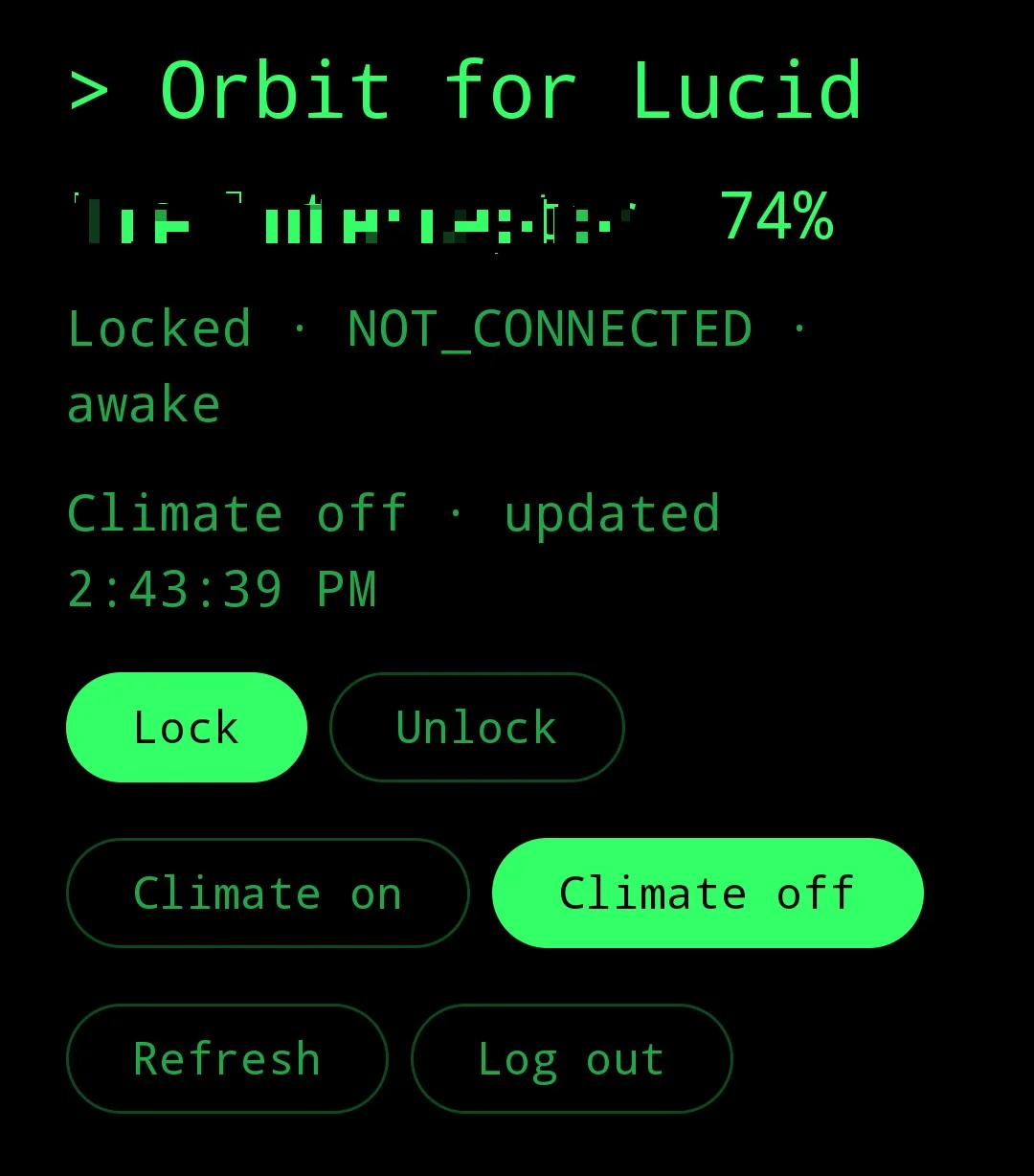
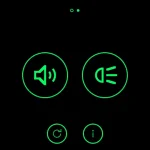
I got tired of pulling out my phone to check the charge or unlock the car, so I've started builing a Garmin watch app for the Lucid. It's called Orbit for Lucid, it's free and open source, and I'm sharing it in case other Garmin owners want it. It's an early alpha that I've only run on my own setup, and installing it is a do-it-yourself job (see Shortcomings).

How it works: a Garmin watch can't talk to Lucid by itself, so there's a small Android companion app. The watch talks over Bluetooth (via Garmin Connect) to the phone app, and the phone app talks to Lucid's cloud the same way Lucid's own app does. There's no Orbit server and no account with me. You log in once in the phone app, and only a refresh token is kept, encrypted on the phone. The watch never holds credentials.

What works today (on my Venu 3):

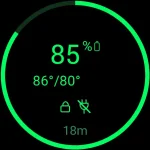
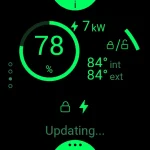
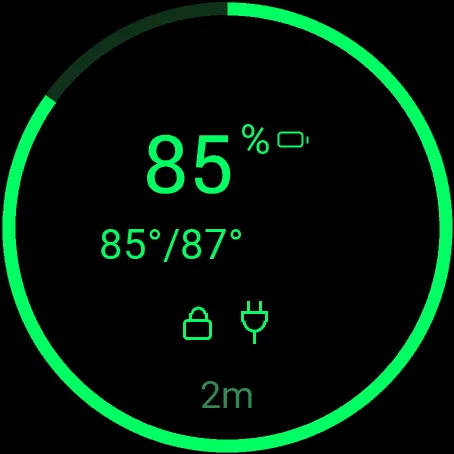
  • Main screen: charge as a ring and big number, cabin and outside temperature (85°/87°), padlock, plug or charging bolt, climate-on icon, and how old the car's data is.
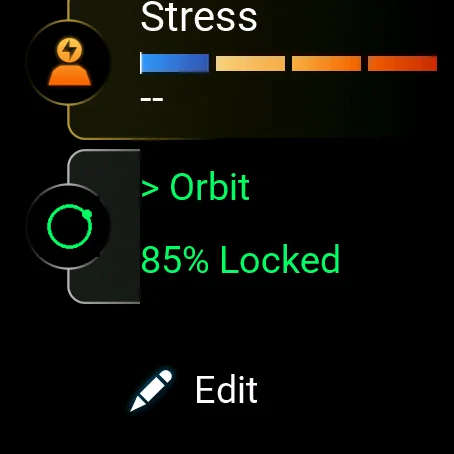
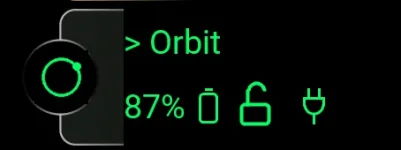
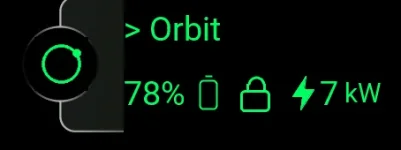
  • Glance: charge and lock state in the watch carousel, without opening the app.
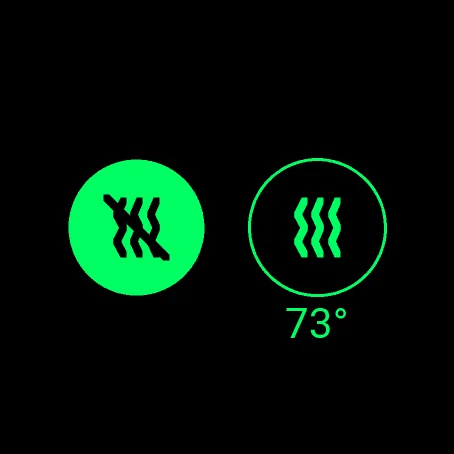
  • Lock, unlock, climate on/off at a temperature you pick (in the watch's °F or °C), and refresh. Unlock and climate ask for a confirm tap. Lock doesn't.
  • Wakes a sleeping car before sending a command.
  • Stays current: every 5 minutes, while the watch is connected, the phone fetches status and sends it to the watch, even with the app closed. It never wakes the car, and a switch in the phone app turns it off.
On the roadmap (tracked as GitHub issues, roughly in this order):

  • A read-only details screen: tire pressure, windows, battery health, min/max cell temperature.
  • Frunk and trunk open/close (with a confirm tap), on a second page of actions.
  • Battery preconditioning, seat and steering wheel heat, max defrost and max A/C.
  • AC charging current limit.
  • Later, if there's interest: other Garmin models, multi-vehicle accounts, and a watch face.
Shortcomings, honestly:

  • Unofficial. It uses Lucid's undocumented API, which can change or stop working at any time. It isn't affiliated with Lucid or Garmin, and Lucid's connectivity terms are strict about this kind of thing, so use it on your own account at your own risk. The 5 minute status check also shows up as extra requests from your account (the switch turns it off).
  • Narrow support: tested only with a Pixel phone, a Venu 3, and one US Lucid. Other Garmin models compile but are untested. One vehicle only. Android only, no iPhone.
  • No download. You build both apps yourself (Android Studio plus Garmin's free Connect IQ SDK) and sideload them. The INSTALL.md walks through it, but it isn't easy. I'd rather you could read the code than trust a binary that handles your Lucid login.
  • Slow and sometimes laggy. Unlock from a sleeping car took about 13 seconds in my test, but Lucid's cloud varies a lot. After a command the app keeps checking for about 105 seconds, then says "no confirmation yet" (it may still have worked).
  • A permanent notification on the phone, because Android needs a small service running for the watch to reach it.
  • Battery impact isn't measured yet. I'm running that test now and will post numbers.
  • Written with a lot of AI help by someone who isn't a professional programmer, and it hasn't had an outside code review. Be sensible about a button that can unlock your car.
Screenshots are attached. Code, README and the full details: https://github.com/doubletwist13/orbit-for-lucid

Testers with other Garmin watches (fenix 7, Venu 3S, Forerunner) or a second Lucid on the account would help most. Bug reports and ideas are welcome here or as GitHub issues.

SPECIAL THANKS:
watch-main.webp
watch-actions.webp
watch-lock.webp
watch-climate.webp
watch-glance.webp
phone.webp
 
w00t! Nice work. Thank you for taking the time, same to those involved in creating that api. it is pretty cool.
 
Orbit for Lucid: update (v0.2.2)

A quick update since the first post (v0.1.0). Orbit is still alpha and still works end to end on just one setup: a Pixel 10 Pro, a Garmin Venu 3 and one Lucid.

What's new

  • A redesigned watch screen. The main screen is a ring that fills with your charge, a big percentage, the cabin and outside temperature, and small icons for locked, plugged in, charging and climate on. Lock, climate and refresh are big tap targets (or the side buttons).
  • Pick the climate temperature. Choose a set point from a list, in whatever units your watch uses, then confirm. It also works while climate is already running.
  • Fresh data without opening the app. Every 5 minutes the phone fetches your car's status and sends it to the watch, so the glance and the main screen are already current when you look. A switch in the phone app turns this off.
  • A connection info screen. A small i button on the watch shows when the car last reported and when the phone last updated the watch. The phone app shows the same times.
  • Fixes. The 5-minute updates didn't actually work in v0.2.0, and that's fixed in v0.2.1. The error messages now fit on round and rectangular screens, and the watch shows its own version number.
  • More watches, simulated only. The fenix 7 and Venu X1 now build and run in Garmin's simulator. They have never run on a real watch, so treat them as tentative. If you want another model added to the manifest let me know and I'll test it on the simulator and add it so it's easier for you to build for.
The catch

  • It uses Lucid's unofficial API, which can change or disappear, and it may not be welcome under Lucid's terms. Your account and your risk.
  • The phone now asks Lucid for status every 5 minutes on its own, from your account. It doesn't wake the car, and you can switch it off.
  • Android only, and Garmin watches only. You build both apps yourself and sideload them; there's no store version.
  • One vehicle only (the first on the account), and battery impact over days isn't measured yet.
  • The code was written with heavy AI help. I'd welcome a real Android or Garmin developer looking it over.
Code, install steps and release notes: https://github.com/doubletwist13/orbit-for-lucid (releases: https://github.com/doubletwist13/orbit-for-lucid/releases)

Feedback welcome, especially from anyone with a different Garmin watch.
 
Orbit for Lucid v0.3.0 (alpha): frunk, trunk, horn and lights from your Garmin watch

Orbit is an unofficial Garmin Connect IQ app, with an Android companion, for checking and controlling a Lucid from your wrist. v0.3.0 adds more controls and a few visual changes.

New
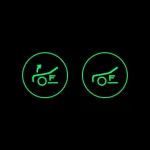
  • Frunk and trunk. Open or close them from the watch. It asks you to confirm, then waits for the car to report the lid. A gas-strut frunk can only be unlatched, so it goes straight to the confirm for Open.
  • Horn and lights. One short honk (with a confirm tap) and a light flash. Lucid's API doesn't confirm either, so the watch says "Sending..." and means only that the watch sent the request.
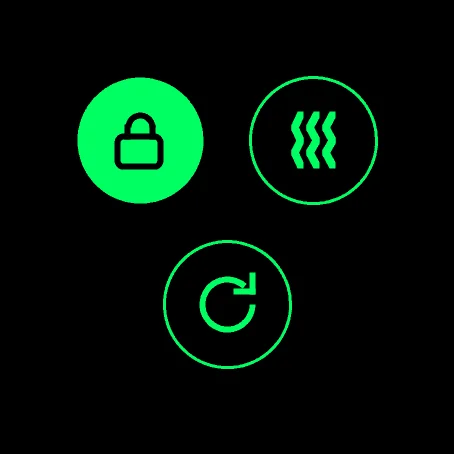
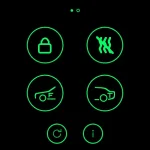
  • Paged actions screen. Lock, climate, frunk and trunk are on the first page. Horn and lights are on the second. Swipe or use the up and down buttons to change page.
  • Charge ring colours. The ring turns green, yellow, orange or red by battery level, and dims when the data is stale. Charge state changes color of battery SoC in Glance as well.
  • New icons. Padlock, battery and plug on the glance and main screen. The plug state is always shown.
Also since v0.2.0
  • The 5 minute background updates now work, with connection info on the phone and watch.
  • Layout fixes for small and rectangular screens, and a scrolling list for the climate set point.
  • The phone app is status and settings only. You control the car from the watch.
Before you try it
  • Alpha, and unofficial: it uses Lucid's unofficial API, so it may break or break the rules, and it supports one vehicle.
  • Tested on a Venu 3 and a Pixel 10 Pro with one Lucid Air with powered frunk. A gas-strut frunk and a Gravity are untested.
  • Update the phone app and the watch app together.
  • Nothing is attached to the release. You build both apps and sideload them, following the install guide in the repo.
Release and install guide: https://github.com/doubletwist13/orbit-for-lucid/releases/tag/v0.3.0
 

Attachments

  • watch-main.webp
    watch-main.webp
    14.9 KB · Views: 10
  • watch-glance.webp
    watch-glance.webp
    5.5 KB · Views: 10
  • watch-actions.webp
    watch-actions.webp
    13.5 KB · Views: 9
  • watch-actions-2.webp
    watch-actions-2.webp
    9.6 KB · Views: 10
  • watch-frunk.webp
    watch-frunk.webp
    7.9 KB · Views: 11
Orbit for Lucid v0.4.0 (alpha): a much fresher glance and faster lock/unlock

Plus the phone and watch now show each other's version. Still alpha: it works end to end on one setup (a Pixel 10 Pro, a Garmin Venu 3 and one Lucid, an Air with a powered frunk), and one tester reports it working on an Epix (Gen 2).


What's new in v0.4.0


  • Faster command confirmation (#46). After a lock, unlock or similar, the phone checks the car every 1.5 s for 30 s, then every 5 s, using Lucid's GetVehicleState call, which showed no rate limit in testing. A lock confirms in about 2 s, and a sleeping car wakes in about 2 to 3 s.
  • A fresher glance (#47). The phone reads the car in the background every 60 s while it sleeps, 30 s while it is awake or charging, and every 10 s for 2 minutes after you use the watch. It sends the watch a change at most once a minute (every 10 s in that window), plus a status every 5 minutes. A lock change shows on the glance within about 10 s of using the app.
  • Battery. The watch drained about 0.55 to 0.6% an hour in every run, with or without the faster updates. The Pixel 10 Pro spent 0.217 mAh overnight on Wi-Fi and 33.7 mAh over a 5 hour day that included cellular use, which is about 0.14% of its battery an hour. The note is in docs/research/battery-findings.md.
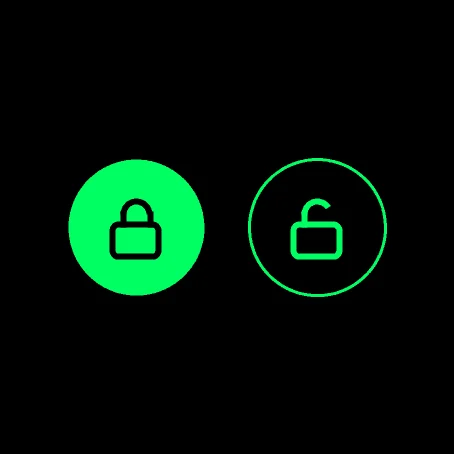
  • Unknown lock state (#41). If the car reports no lock state the watch shows an amber padlock with a question mark, instead of passing it off as locked or unlocked.
  • Versions on both screens (#39). The phone shows the watch app's version and the watch shows the phone's, and the watch says "Update phone" if the phone does not know a command.
  • Fewer rough edges (#44). An account with no vehicle shows "No car found" instead of an unknown error, a sleep-update car counts as asleep, and error messages on the phone say what to try. A rate-limit answer while a command is being confirmed no longer fails a command the car already accepted.
  • Thinner watch icon lines, and Android CI that runs the unit tests on every pull request.

Release notes: https://github.com/doubletwist13/orbit-for-lucid/releases/tag/v0.4.0
 
Orbit for Lucid v0.5.0 (alpha): Significant UI updates

A redesigned watch app: a vertical page strip with an information-only main screen, an info page, and one Access page of seven icons. Still alpha: it works end to end on one setup (a Pixel 10 Pro, a Garmin Venu 3 and one Lucid, an Air), and the Venu X1 and fenix 7 have only been looked over in Garmin's simulator.


Update both apps together. A 0.5.0 watch app with an older phone app shows "Update phone" for the new commands.


What's new in v0.5.0

  • Vertical pages (#55). Swipe up or down, or use the up and down buttons, between the version page, the info page, the main screen and the Access page. Swipe right is back, and small dots on the left show where you are. Design note: docs/watch-design.md.
  • A new main screen. Information only, so a stray tap does nothing: the charge ring, the charging power in kW, cabin and outside temperatures, and warning icons for an open frunk, trunk or door, a tire pressure warning and (in red) an unattended occupant. A quick lock mark by the top right button opens the lock or unlock choice.
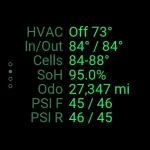
  • Info page (#11, partly). Climate state, temperatures, the coolest and warmest battery cell, battery health, odometer and the four tire pressures. Open windows are not shown yet.
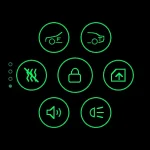
  • Access page. Seven icons round the lock: frunk, trunk, close all windows, lights, horn and climate. Climate's second screen now has pet mode. Every send shows a toast, and close windows asks for a confirm tap. The car ignores many commands in gear or while moving.
  • Version and refresh page. When the car and the phone last reported, both app versions, and a tap to refresh.
  • Phone vehicle details. A read-only screen listing what the car reports, with efficiency (since last charge, last 30 mi, all logged) worked out from an odometer and energy log kept on the phone. The charging schedule time now shows in local time. The phone app has no controls, by design.
  • Docs. README rewritten for the new screens with an icon legend and new screenshots; the privacy list now includes the odometer and the energy log; a touchscreen watch is required.

NOTE: I haven't tested the unattended occupant - I'm not 100% sure that works or is supported by all or any of the current models? Also haven't let the air of my tires to test that warning icon yet either. :)

COMING SOON:
- Charging Actions - Another actions page for charging settings, like current limit, charge limit, preconditioning, etc.
- More Colors - a picker to let the user decide what color the app writes in - in case somebody doesn't love an old unix green phosphor screen vibe.
 

Attachments

  • watch-main.webp
    watch-main.webp
    14.2 KB · Views: 4
  • watch-info.webp
    watch-info.webp
    18.6 KB · Views: 5
  • watch-glance.webp
    watch-glance.webp
    6 KB · Views: 5
  • watch-actions.webp
    watch-actions.webp
    15.9 KB · Views: 5
Last edited:
Back
Top