
You are using an out of date browser. It may not display this or other websites correctly.
You should upgrade or use an alternative browser.
You should upgrade or use an alternative browser.
Best App to use for Tesla charging
- Thread starter Pip321
- Start date
- Joined
- Jan 3, 2022
- Messages
- 7,540
- Reaction score
- 8,640
- Location
- San Francisco Bay Area
- Cars
- Gravity GT, XC40 P8 EV
- Referral Code
- 3OKY7YGA
Your Air should generally plug and charge automatically at Tesla superchargers if you have set up a credit card with your Lucid phone app.
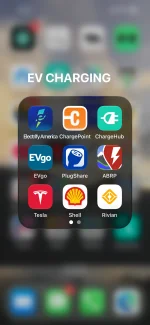
You can also start a charge by using Tesla's phone app and identifying the charging station number before plugging in.
But be aware that you'll only receive energy at a 50kW rate at a Tesla supercharger, and you'll need a NACS to CCS1 adapter.
Other charging vendors will be able to charge your car at up to about 300kW depending on car trim level, state of charge, etc, saving you a lot of time.
You can also start a charge by using Tesla's phone app and identifying the charging station number before plugging in.
But be aware that you'll only receive energy at a 50kW rate at a Tesla supercharger, and you'll need a NACS to CCS1 adapter.
Other charging vendors will be able to charge your car at up to about 300kW depending on car trim level, state of charge, etc, saving you a lot of time.

- Joined
- Apr 21, 2026
- Messages
- 81
- Reaction score
- 102
- Location
- San Diego, California, USA
- Cars
- 2023 Lucid Air Touring
- Joined
- Jan 3, 2022
- Messages
- 7,540
- Reaction score
- 8,640
- Location
- San Francisco Bay Area
- Cars
- Gravity GT, XC40 P8 EV
- Referral Code
- 3OKY7YGA
The Air's 50kW limit is due to the way it handles all legacy 450V charging stations, not Tesla in particular. Fortunately, nearly every other charging station other than Tesla's is capable of at least 920V output and can charge the Air at its rated speed.
- Joined
- Oct 1, 2025
- Messages
- 83
- Reaction score
- 57
- Location
- San Francisco Bay Area
- Cars
- 2026 Lucid Air Pure
Also, the new and upcoming Tesla Superchargers with V4 cabinets do not have this 50kW limit. Those supposedly charge at full rate.

- Joined
- Jan 1, 2025
- Messages
- 567
- Reaction score
- 678
- Location
- Philadelphia
- Cars
- '25 Lucid Air Touring
- Referral Code
- U8QZ9T7X
I despise charging network-specific apps. I've only ever used a TESLA charger once on my Air, and plug-n-play worked fine.
Almost all of those network specific apps are annoying all w/ different sign in requirements etc. However I use FLO frequently & ha no issues. They sent me a debit type card that I wave in front of the unit & it releases the charger.
- Joined
- Jul 7, 2022
- Messages
- 843
- Reaction score
- 751
Has anyone used one of these yet on an Air? They’re starting to pop up.Also, the new and upcoming Tesla Superchargers with V4 cabinets do not have this 50kW limit. Those supposedly charge at full rate.
- Joined
- Jan 3, 2022
- Messages
- 7,540
- Reaction score
- 8,640
- Location
- San Francisco Bay Area
- Cars
- Gravity GT, XC40 P8 EV
- Referral Code
- 3OKY7YGA
A few have. They've worked well with the Air.Has anyone used one of these yet on an Air? They’re starting to pop up.