Introducing Lucid Tracker — A New Community Tool

LucidTracker pulls charging history from two sources:
  1. Owners Lucid Account - Every DC fast charge session (EA & Tesla at this point) gets logged with its coordinates, energy delivered, and duration.
  2. LucidTracker+ (soft launch phase) - For owners who have subscribed, while they're plugged in, LucidTracker+ records peak charge rate and the full charging curve in real time for all DCFC and Home charging sessions. If EA or Tesla it will use coordinates to backfill the sessions provided from the owners Lucid Account
View attachment 38867

To show "X Lucid drivers charged here" on a station, the map runs each session's GPS coords against the station's OpenChargeMap (OCM) coordinates and counts it as a match if they're within 200 meters of each other.

For peak charge rates specifically (the kW numbers), only real LucidTracker+ sessions count, those are the only ones where we know the actual peak the car hit. Historical sessions from Lucid Accounts don't include accurate peak data, so they contribute to visit counts but not to peak statistics.

That's the whole match logic. As more peak charge rates are collected the system will then rate the station reliability also

View attachment 38864

With charger reliability being a common problem when road tripping, the idea was to give owners the ability see charger performance based off other owners experiences to know whether it's a problematic charger or not. Hopefully some find it useful as the data starts to accumulate.

How far back does lucidtracker go when it syncs? I have 3 years of charging history but the last time I charged at EA was back in February. My charging history is empty :(.
 
LucidTracker pulls charging history from two sources:
  1. Owners Lucid Account - Every DC fast charge session (EA & Tesla at this point) gets logged with its coordinates, energy delivered, and duration.
  2. LucidTracker+ (soft launch phase) - For owners who have subscribed, while they're plugged in, LucidTracker+ records peak charge rate and the full charging curve in real time for all DCFC and Home charging sessions. If EA or Tesla it will use coordinates to backfill the sessions provided from the owners Lucid Account
View attachment 38867

To show "X Lucid drivers charged here" on a station, the map runs each session's GPS coords against the station's OpenChargeMap (OCM) coordinates and counts it as a match if they're within 200 meters of each other.

For peak charge rates specifically (the kW numbers), only real LucidTracker+ sessions count, those are the only ones where we know the actual peak the car hit. Historical sessions from Lucid Accounts don't include accurate peak data, so they contribute to visit counts but not to peak statistics.

That's the whole match logic. As more peak charge rates are collected the system will then rate the station reliability also

View attachment 38864

With charger reliability being a common problem when road tripping, the idea was to give owners the ability see charger performance based off other owners experiences to know whether it's a problematic charger or not. Hopefully some find it useful as the data starts to accumulate.
This site is really wonderful. Can you give a thought to make a Mobile app for the same 🥺
 
How far back does lucidtracker go when it syncs? I have 3 years of charging history but the last time I charged at EA was back in February. My charging history is empty :(.
Let me look into it
 
This site is really wonderful. Can you give a thought to make a Mobile app for the same 🥺
You can save the site to your Home Screen as a Web App. It's generally functional and adapts to the screen but some pages can become troublesome. iOS and Google Apps are on the agenda but probably not anytime soon

1779287460598.webp
1779287545432.webp
1779287607489.webp
 
  • Like
Reactions: sri
Just pushed a big update to the Charging Map on LucidTracker.

What's new:
  • Full rebuild optimized for mobile, much smoother scrolling, tapping, and station lookup on phone screens (this was overdue, sorry to anyone who's been pinching-and-zooming on their phone until now)
  • Real charging session data from actual Lucid owners is now feeding into the map, not just Electrify America and Tesla Superchargers, but other networks too. So you're seeing real-world charging speeds and reliability reported by people actually plugging in, not just static network listings
Want to help build it out?
If you'd like to contribute your charging data to help make the map more useful for the community, you can enable Trailblazer status for free. As a Trailblazer you get:
  • Full access to your own charging history
  • Visibility into you own future charging sessions, seeing peak rates not just on EA or Tesla but any network you use.
As more charging session data is fed into the mapping system they're rated as a good charger experience or bad charger experience which could be helpful to know which charging locations to avoid for example. You can also leave a review of the location you've charged at.

Enjoy!

1784939866426.webp
1784939929955.webp
1784940070122.webp
 
I think this is an amazing app and I thank you for the effort.

I am embarrassed at even bringing this up, but when I see my profile car it is a PR image of a maroon Air. Surely since there are only a handful of colors, can't you key my profile color (stellar white) to a different PR image of the right color. Or is this just too petty?
 
I think this is an amazing app and I thank you for the effort.

I am embarrassed at even bringing this up, but when I see my profile car it is a PR image of a maroon Air. Surely since there are only a handful of colors, can't you key my profile color (stellar white) to a different PR image of the right color. Or is this just too petty?
Haha! Not petty at all but it’s a placeholder image. You can replace it with a pic your own vehicle.
 
Just pushed a big update to the Charging Map on LucidTracker.

What's new:
  • Full rebuild optimized for mobile, much smoother scrolling, tapping, and station lookup on phone screens (this was overdue, sorry to anyone who's been pinching-and-zooming on their phone until now)
  • Real charging session data from actual Lucid owners is now feeding into the map, not just Electrify America and Tesla Superchargers, but other networks too. So you're seeing real-world charging speeds and reliability reported by people actually plugging in, not just static network listings
Want to help build it out?
If you'd like to contribute your charging data to help make the map more useful for the community, you can enable Trailblazer status for free. As a Trailblazer you get:
  • Full access to your own charging history
  • Visibility into you own future charging sessions, seeing peak rates not just on EA or Tesla but any network you use.
As more charging session data is fed into the mapping system they're rated as a good charger experience or bad charger experience which could be helpful to know which charging locations to avoid for example. You can also leave a review of the location you've charged at.

Enjoy!

View attachment 40124View attachment 40125View attachment 40126
I'm a plus subscriber so I assume I don't need the trailblazer status thing? I don't see where that is enabled. Love the app!
 
I'm a plus subscriber so I assume I don't need the trailblazer status thing? I don't see where that is enabled.
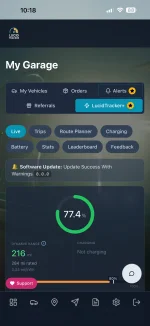
Correct. Plus subscribers charging sessions are automatically fed into the map. Compared to Trailblazers who only see peak charging rate you get more detailed info on your charging sessions like charging curves, battery temp etc. during charging, plus your home charging.
 
Just pushed a big update to the Charging Map on LucidTracker.

What's new:
  • Full rebuild optimized for mobile, much smoother scrolling, tapping, and station lookup on phone screens (this was overdue, sorry to anyone who's been pinching-and-zooming on their phone until now)
  • Real charging session data from actual Lucid owners is now feeding into the map, not just Electrify America and Tesla Superchargers, but other networks too. So you're seeing real-world charging speeds and reliability reported by people actually plugging in, not just static network listings
Want to help build it out?
If you'd like to contribute your charging data to help make the map more useful for the community, you can enable Trailblazer status for free. As a Trailblazer you get:
  • Full access to your own charging history
  • Visibility into you own future charging sessions, seeing peak rates not just on EA or Tesla but any network you use.
As more charging session data is fed into the mapping system they're rated as a good charger experience or bad charger experience which could be helpful to know which charging locations to avoid for example. You can also leave a review of the location you've charged at.

Enjoy!

View attachment 40124View attachment 40125View attachment 40126
Love it. Thank you!!! I can’t seem to find the leaderboards any more.

How does the app know estimated battery life? That comes from some sort of feed from the car?

Thanks so much for all of the work!
 
How do we do this?
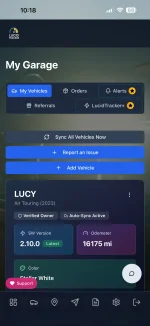
The picture is in the "Vehicle Info" tab in My Garage. Hover over the image and you'll see an option to edit it

1784943212151.webp
 
Love it. Thank you!!! I can’t seem to find the leaderboards any more.

How does the app know estimated battery life? That comes from some sort of feed from the car?

Thanks so much for all of the work!
I took it off the webapp menu to declutter it a little but it's still accessible on the desktop site or directly visiting the leaderboard link on a mobile web browser. I'm looking into shuffling some things around to streamline the menus more and add things back. Its a battle between what's used the most and screen space.

Regarding the battery. The car reports its current usable pack capacity in kWh, and it's read straight from Lucid's telemetry on every sync. The percentage you see is a calculation on top of it, measured usable capacity divided by your model's rated capacity.
 
Found the leaderboard, but don’t see myself on it for miles though I have 21,000+ on my Gravity. Looks like it should be visible through my profile…if you can’t tell, I’m a bit competitive! 🤣

View attachment 40136
Looks like you found a bug. You're number 2 on the main leaderboard but you're missing on the LucidTracker+ leaderboard. leave it with me.
 

Attachments

  • IMG_7336.webp
    IMG_7336.webp
    88.4 KB · Views: 51
  • IMG_7337.webp
    IMG_7337.webp
    86.7 KB · Views: 52
Thanks but I can’t seem to get there. Here’s what I see:
I just realized that this feature is not available for the Air, just the Gravity...
 
I just realized that this feature is not available for the Air, just the Gravity...
The Vehicle Info tab is only visible in the free tier as it combines some basic stats and charging info all in one area. As you’re a + subscriber you get the same but more info on the Live tab, Trips, Charging tabs etc.
 
The Vehicle Info tab is only visible in the free tier as it combines some basic stats and charging info all in one area. As you’re a + subscriber you get the same but more info on the Live tab, Trips, Charging tabs etc.
If the image replacement feature is available for the Air, I am unable to see any picture of an Air to click on and upload a replacement image of my car. I tried it both with the +Tracker app and the regular Tracker app.
 
Back
Top